
Skip to content
shape

Cut construction times in half

Plan and manage your site with one shared view of what happens where, and when

Cut construction times by 15% from day one, up to 50% long-term

Spot delays and obstacles before they hit site

Replace multiple disconnected schedules with one software

+300 jobsites are already building faster

  • Caverion
  • Fira
  • Mangrove
  • Skanska
  • Saint-Gobain
  • JM Malm
  • VRP
  • Hartela
  • Bonava
  • AF Gruppen
  • Backe
  • Mittaviiva
  • Betonmast
  • Tencon

Delays are spotted too late

Not because the plan was bad, but because nobody saw it slipping. A crew turns up to a floor that isn't ready. The plan is copied by hand into five files. And everyone finds out at once, in the weekly meeting.

PDF Design rev 7.pdfFrom the architect
X Procurement.xlsxUpdated monthly
X Takt plan v12.xlsxLocal copy
X Logistics & crane.xlsxShared drive
Master schedule Rev. 14
IDTASK AugSepOctNovDecJan
01 Site establishment
02 Excavation
03 Piling
04 Foundations
05 Ground slab
06 Basement walls
07 Frame floor 1
08 Frame floor 2
09 Frame floor 3
10 Frame floor 4
11 Frame floor 5
12 Frame floor 6
13 Roof structure
14 Roofing
15 Facade north
16 Facade south
17 Windows
18 MEP rough-in F1–F3
19 MEP rough-in F4–F6
Printed 12 SepPage 1 of 25
W Week 38 plan.docxPrinted for the meeting
RE: Window delivery14 replies
SMSite manager "Friday again. Print the plan, walk every floor and tick it off by hand."
DFDrywall foreman "Which version is right? My printout says we start floor 4 on Monday."
WIWindow installer "Nobody told us the delivery moved. We turned up and couldn't start."
PMProject manager2 weeks late "The master schedule, the takt sheet and the week plan all say something different. We only found out in the weekly meeting."

Everyone sees the situation and knows what to do next.

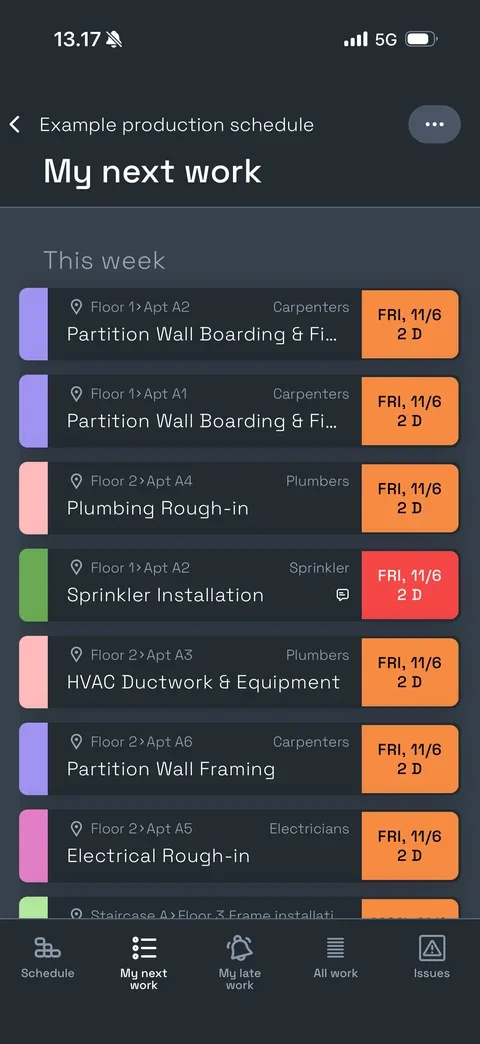
No more surprises. Site crews report progress on site. The schedule reflects what’s actually happening and you can see where you need extra hands in time. Site meetings become more constructive and based on facts, not opinions.

Manage your schedule easily with a user-friendly interface.

Built for the detail of real projects, without the complexity. The schedule shows the work the way it happens on site, so planners and site crews find their way quickly.

  • Start from what you have

    Import MS Project, Primavera P6, Asta or Excel, or begin from a template.

  • Type, copy and paste, like in a spreadsheet

    Or build by typing. Add work, phases and teams from the keyboard.

  • The whole team at once

    Everyone works in the same schedule, at the same time.
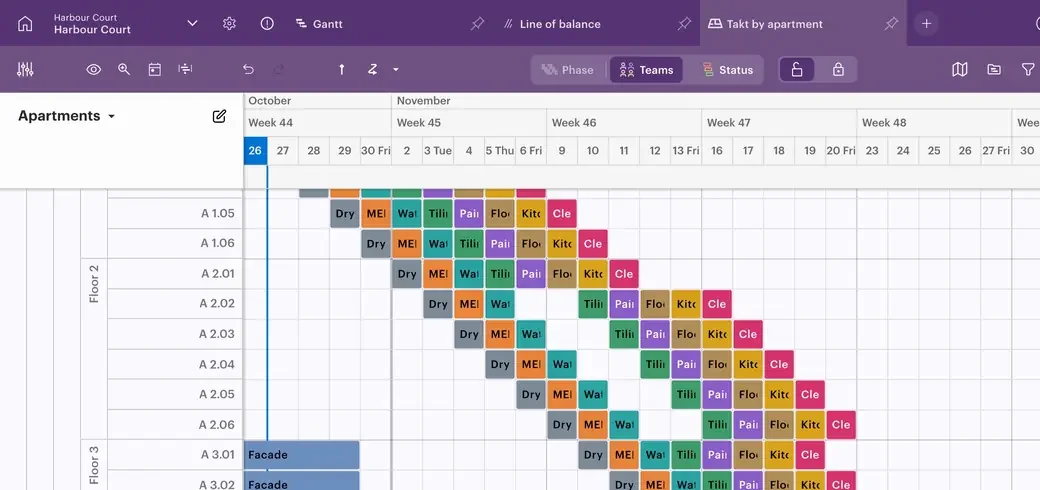
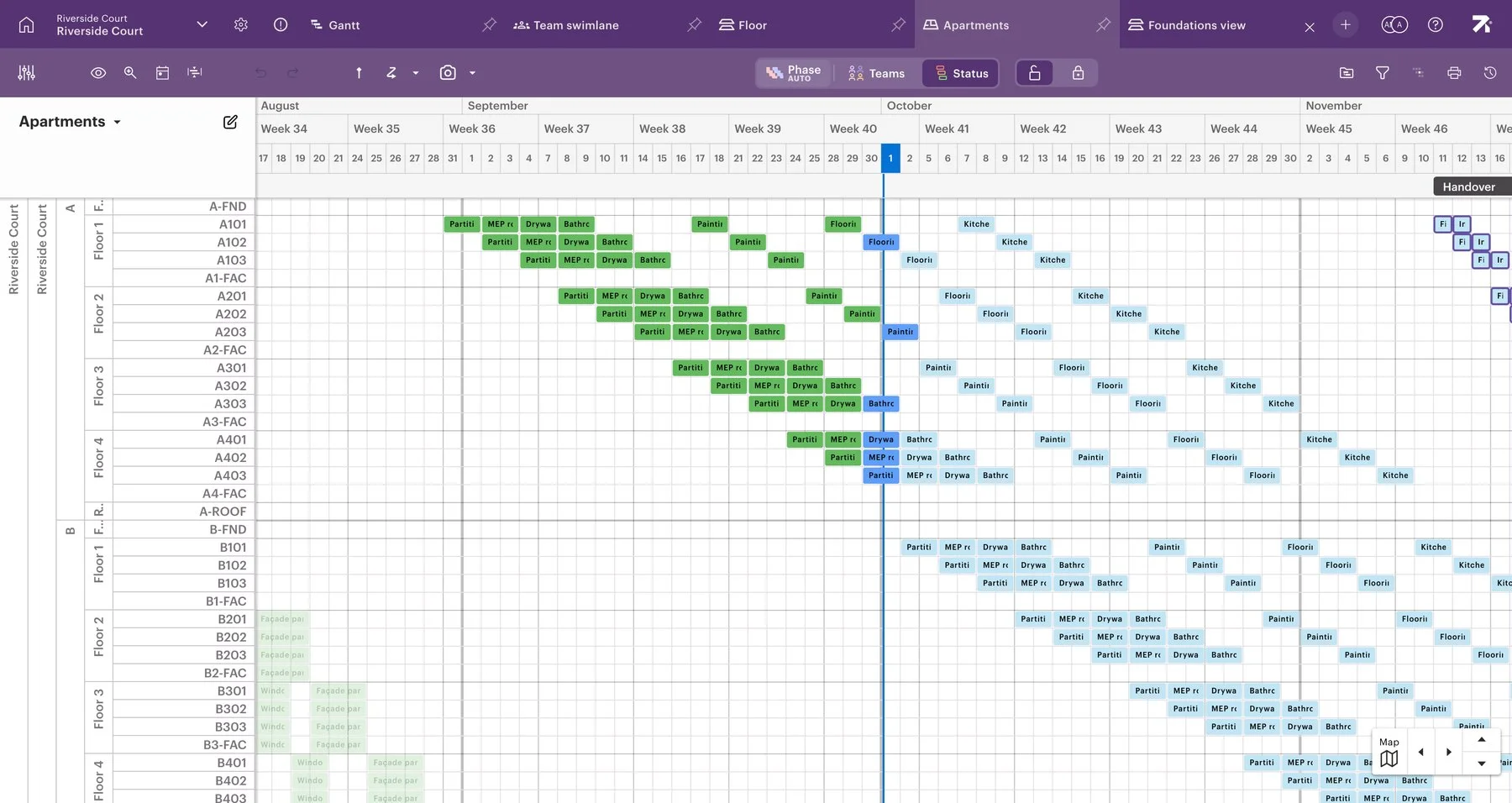
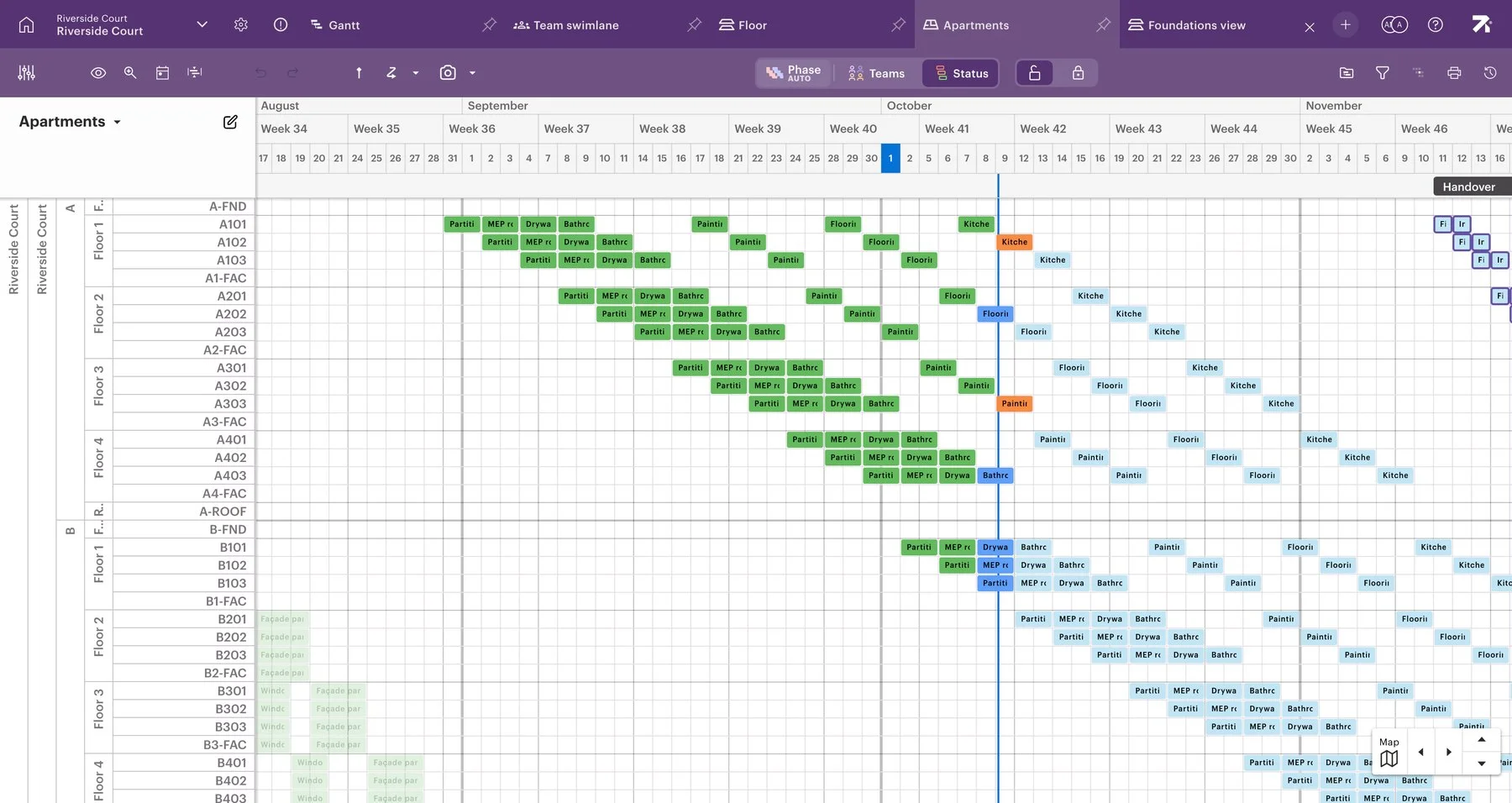
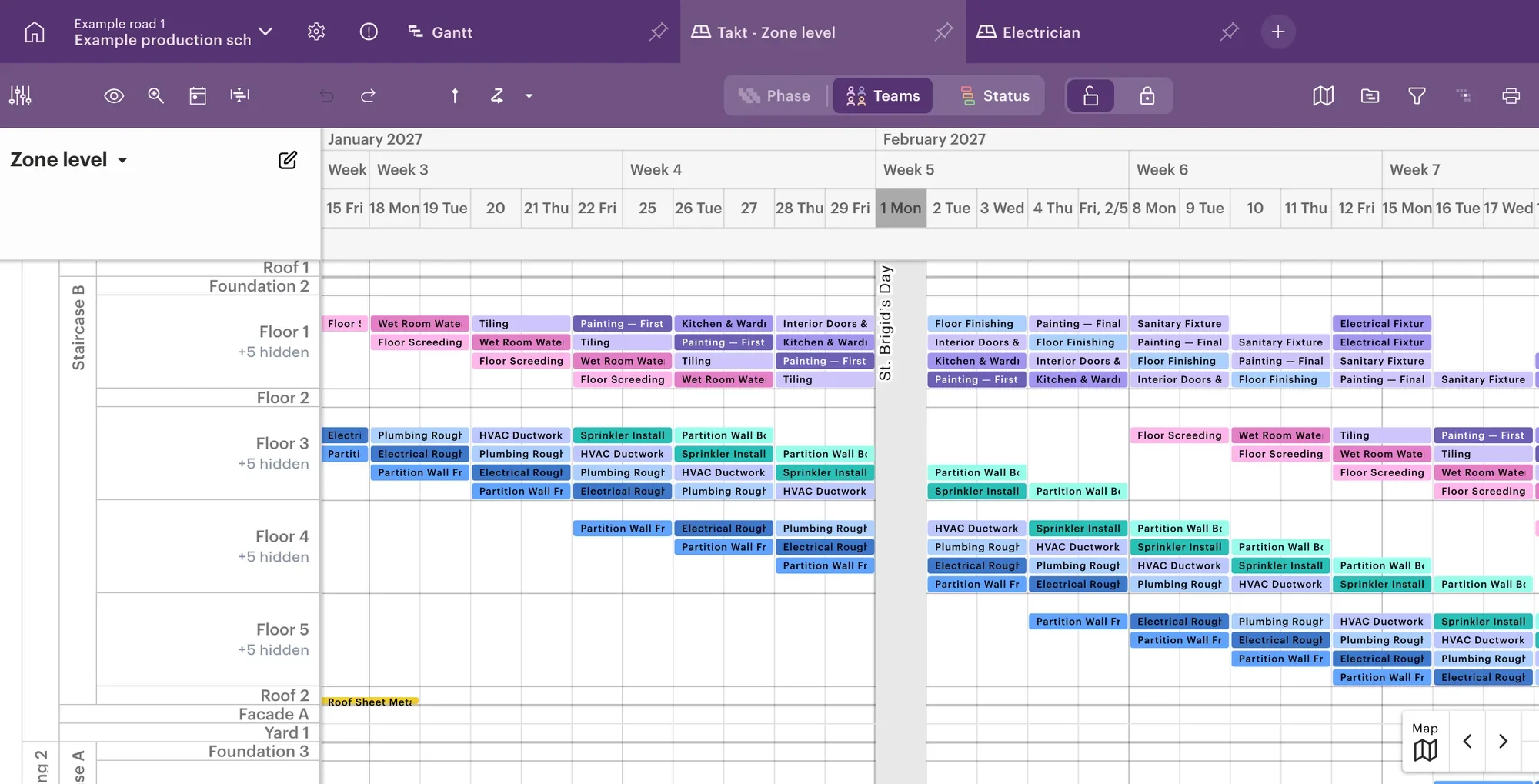
The Sitedrive schedule for an apartment building, where one apartment's work has been copied to the next and a block moved two days later.
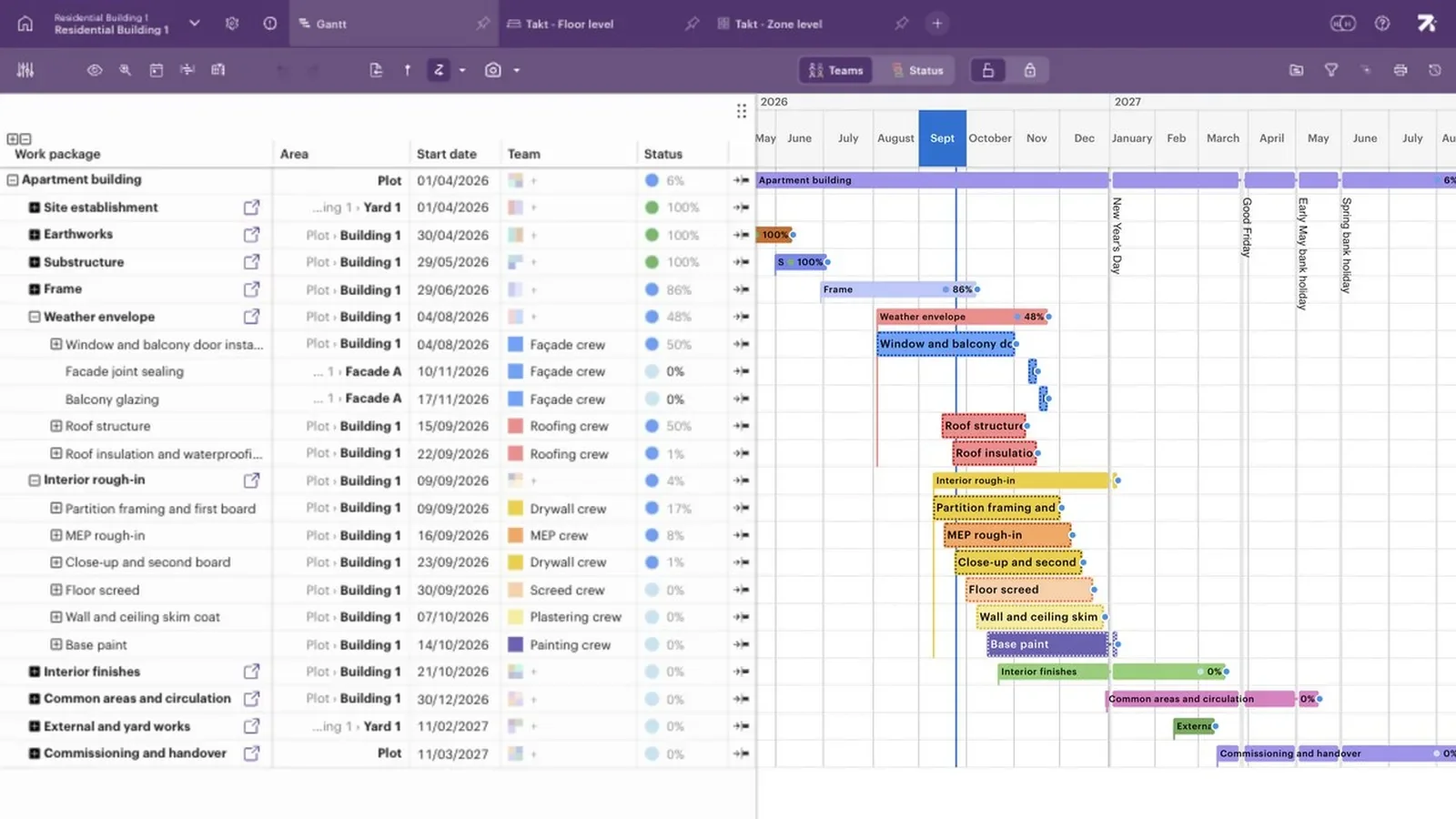
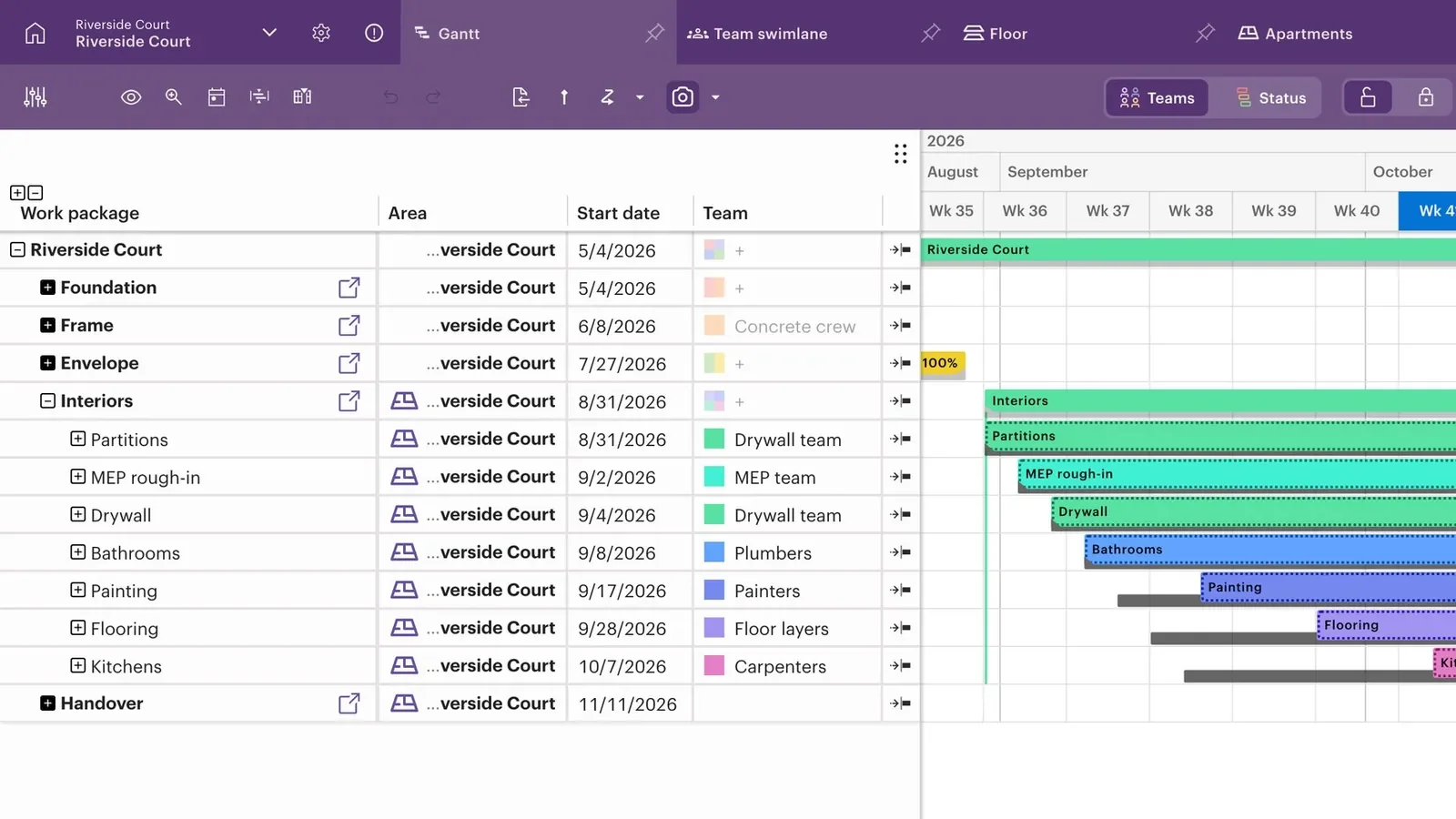
The Gantt view of an apartment building schedule with phases, teams and progress.
GanttPhases and progress for the office and the client
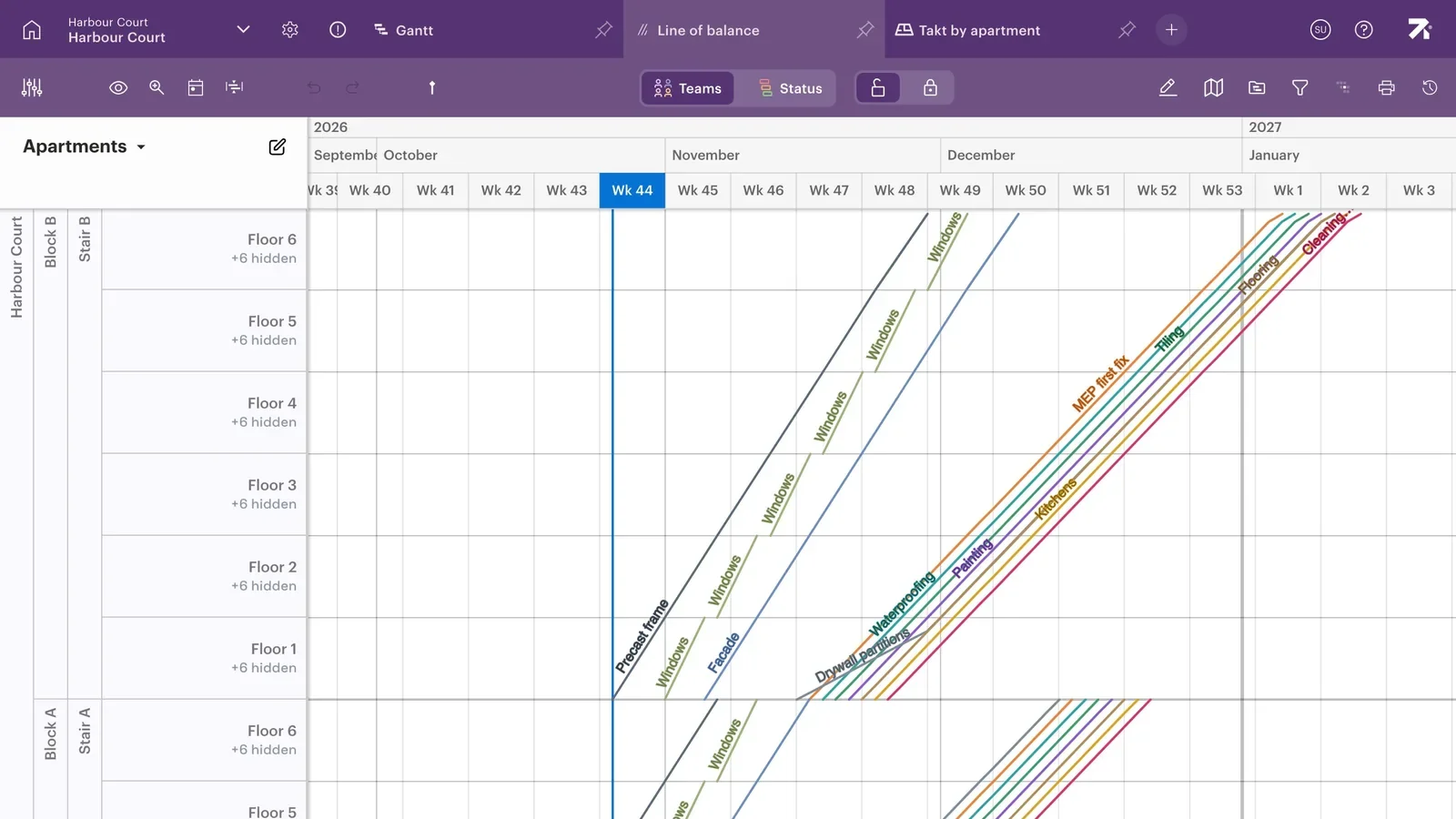
The line of balance view with each trade flowing diagonally through the floors of a building.
Line of balanceThe trades flowing through the floors
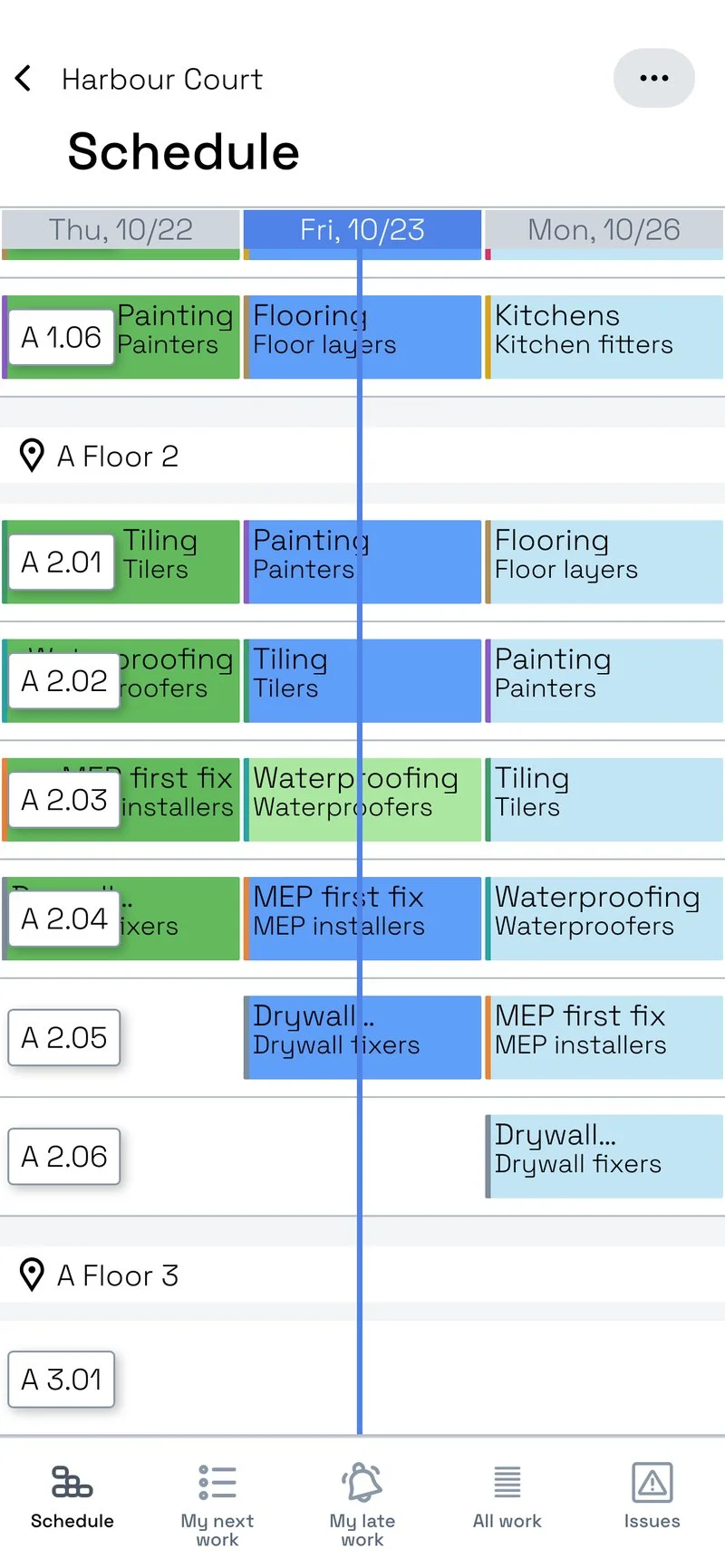
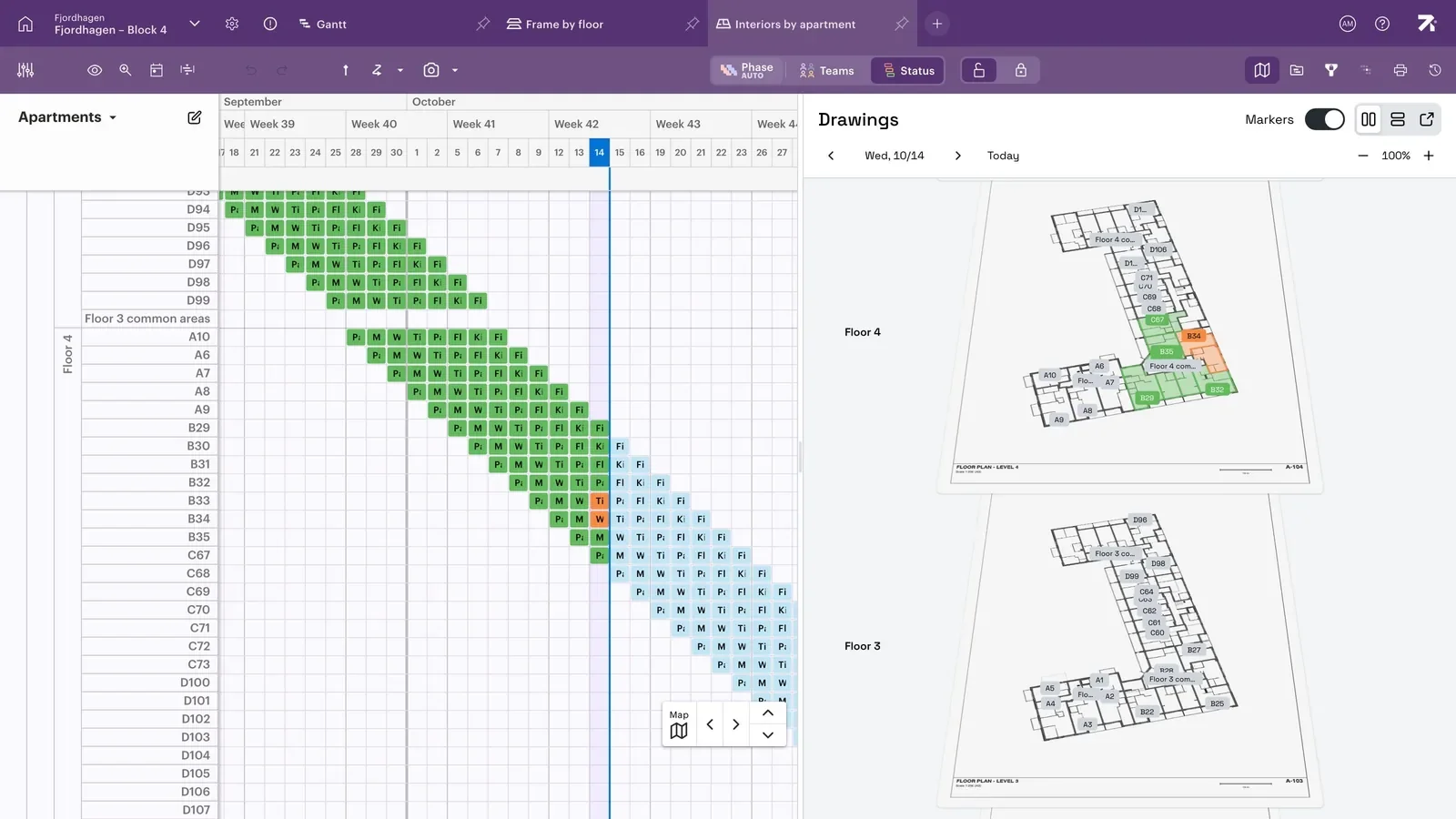
The schedule next to the floor plans, with the status of each apartment shown on the drawing.
Floor plansThe plan and its status on the drawing
The schedule with grey baseline bars under the current plan, showing today's plan against the agreed one.
BaselineToday's plan against the agreed one
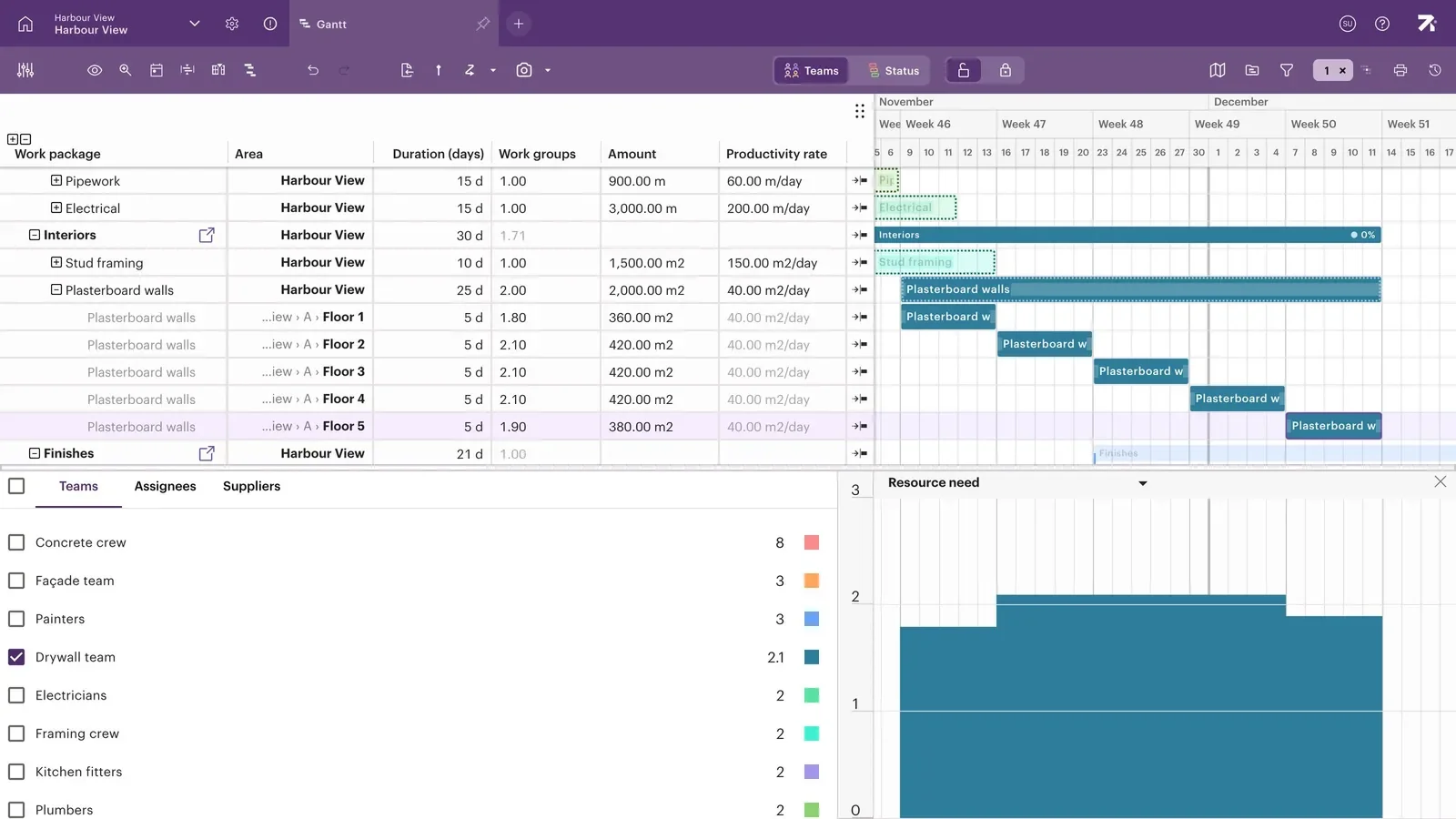
The schedule with amounts and productivity rates per work package, and a chart of the crews needed each day.
QuantitiesAmounts, rates and crew needs

One shared schedule, in the view you prefer.

Gantt, line of balance, floor plans, baseline and quantities all show the same schedule. Switch between them in the meeting, and everyone always looks at the same schedule.

See what your schedule looks like in Sitedrive

Upload your schedule, and see it live in Sitedrive in minutes — no credit card needed, no sales call, no setup required.

Built by builders, for builders.
Here’s what on-site teams say:

”Building a schedule used to take me 3 days. In Sitedrive, I build a better plan in 45 minutes.”

– PROJECT SCHEDULER

”Sitedrive has created an extremely good software. Traditional scheduling software just can’t achieve the same results."

– JAN LUND
Co-founder, COfLOW

”With Sitedrive on-screen, our conversations are much more constructive and fact-based.

We don’t wait for things to go wrong – we catch issues early and make adjustments together.”

– SITE MANAGER

“You get what you asked for and we asked for faster construction times. It's easy to check project's progress from Sitedrive – is there red or green and are things done as planned."

– JANNE ALAKOMI
Head of Production, Hartela

Seamless integrations

Sitedrive API connects with your other tools, including:
arrow

MS Project

Import and export schedules easily

arrow

Power BI

Build custom dashboards for better decision-making

arrow

BIM Tools

Improve coordination with detailed project data

arrow

Logistics

Coordinate your logistics for on-time deliveries

Available languages

1-2

English

2-2

Norwegian

3-3

Finnish

4-2

Spanish

5-1

French

6

Czech

Danish

Danish

sitedrive-9mhdrc-jpg

Ready to get your site flowing?

Book a demo of Sitedrive and we'll show you how it shortens your construction times already on your next project.