

Build Data Centre with only 1 Live Plan— Primavera stays the master.
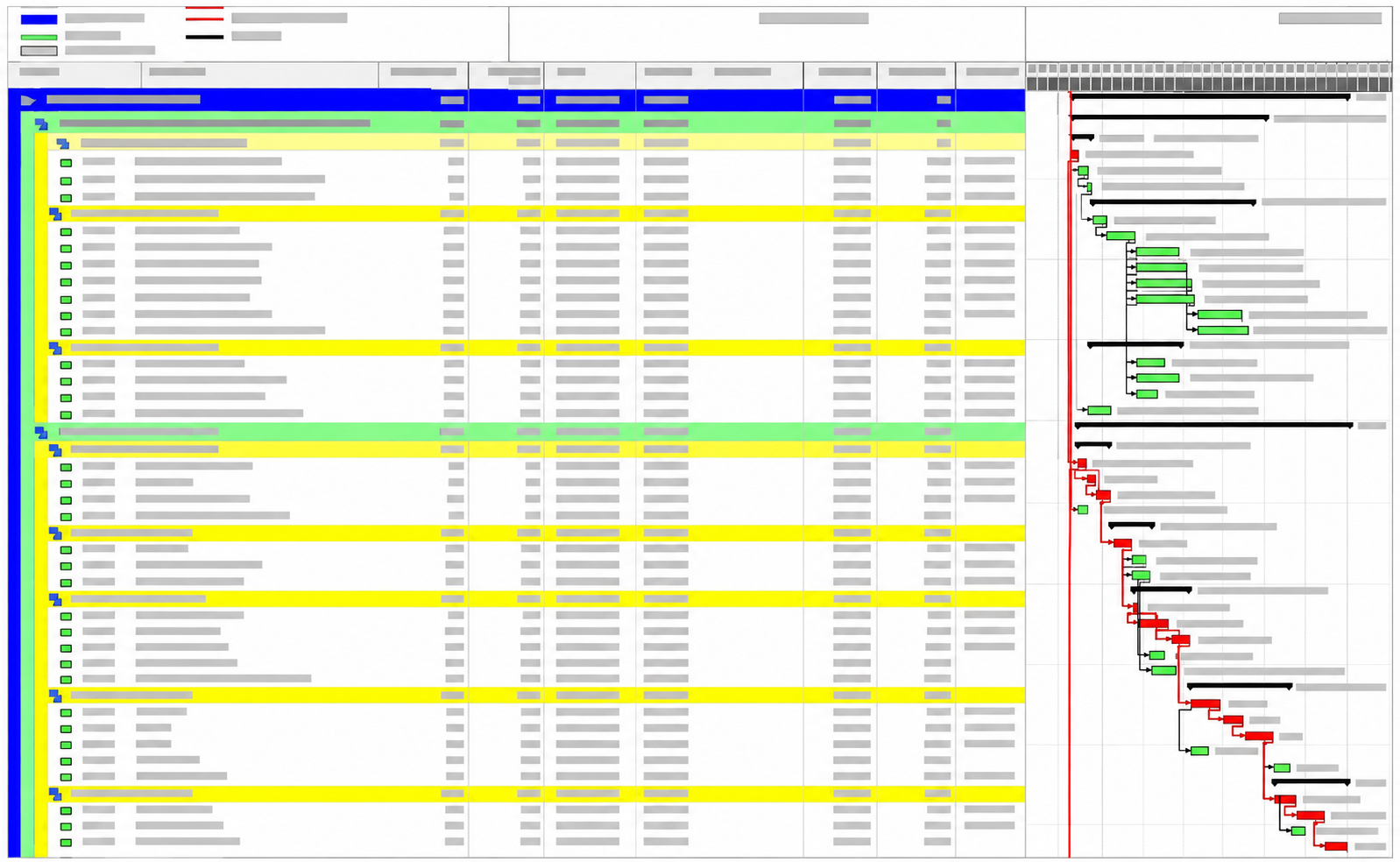
You can keep Primavera or MS Project as the contract schedule. And use Sitedrive as site management work. Sitedrive runs the daily work underneath it - every hall, every trade, every shift - as one location-based schedule that everyone can actually follow.
Progress and agreed changes go back
Keep Primavera for contract control. Use Sitedrive for delivery.
We didn't invent this. This is what we learnt from how our productive data centre contractors make the best results.
Project structure, dates and locations come into Sitedrive. You get a live Data Centre project all set up and running in just a few hours, not weeks.
Who's doing what, in which hall, on which shift — down to a level of detail a master programme was never built to hold. Keep Primavera for developer reporting, and use Sitedrive to run your tasks on site.
Progress and any agreed changes in Sitedrive flow straight back to Primavera — no dual-system updates, no extra planning overhead beyond the deadline pressure the project already has.
Same project,
Same schedule,
Better tracking
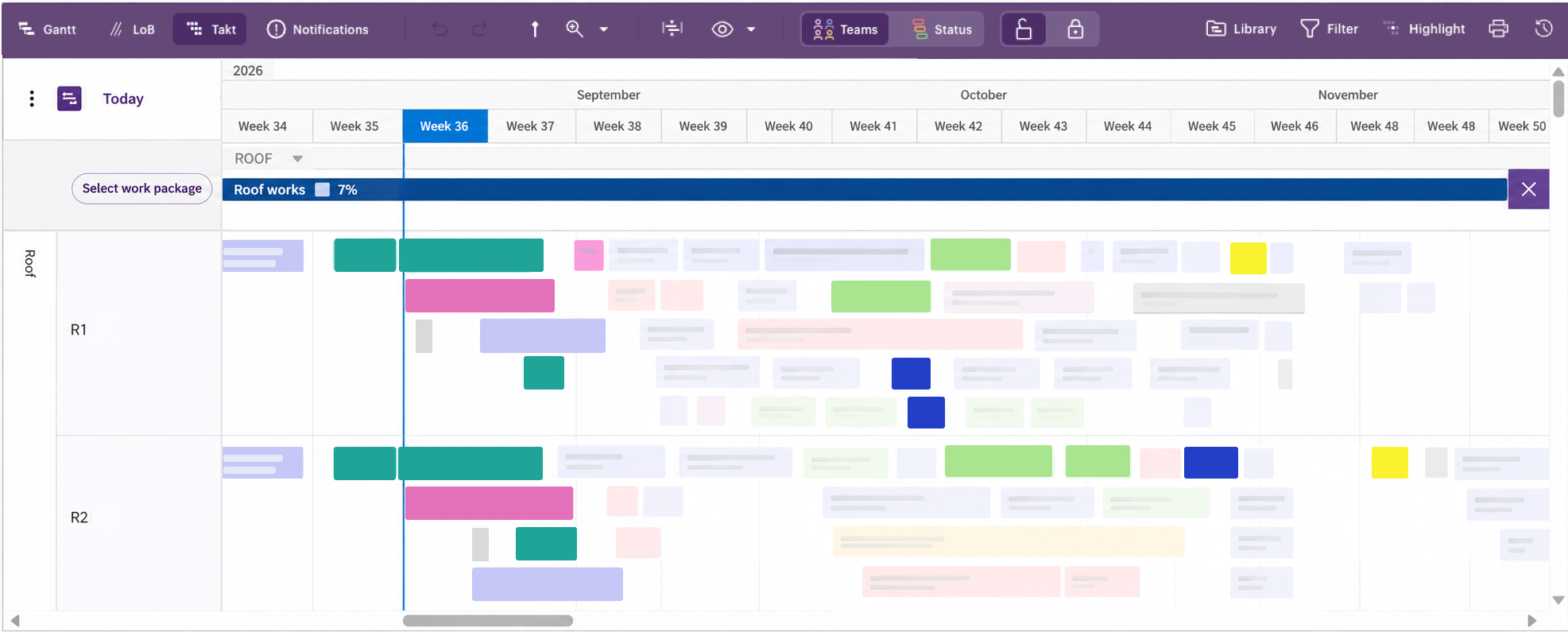
Instead of complicated, high level ERP system, Sitedrive is designed specifically for detailed site planning. You can highlight and track progress in each specific areas. Even for roof sections - which is difficult to track in traditional software like MS Project or Primavera.
.png)
Collaborate based on shared plan and agreement
Without a shared plan, contractors work wherever they can find space and call it progress. Instead of a chaotic "free-for-all", Sitedrive shows a sequence to work to, and lets you see exactly how your work lines up with everyone else's.
Design to handle the real Data Centre pressure reality
Data centre projects run under extreme time pressure — frame construction crews, several cranes and interior crew have to work simultaneously in tight, narrow space. Sitedrive coordinates them all in one place, so the overlaps are something you plan around, not something you discover on site.
Sitedrive visualizes different work areas within one schedule. Every site crews see and know where exactly that they can work and what is happening in parallel to their works.
When everything can be seen from one live schedule, you know exactly when overlap starts causing a traffic jam or breaks a handover. You can plan in advance, and predict what will happen before committing site crew to it.
High performance that keeps up with your Data Centre projects
You can load a schedule with hundreds of work packages and areas without crashing or even slowing things down. Sitedrive always keeps that same performance as projects grow in more detail.
.png?width=540&height=540&name=Frame%2026087508%20(1).png)
This is the one you already got right — the sequences, durations and handovers that worked in practice, not just on paper.
Copy what worked straight into the next hall with Sitedrive — same sequences, same durations, no re-deriving it from scratch.
Same teams, same handover logic — the same playbook again, not a new one every time.
Same structure, even across different sites and countries — so you can compare delivery and see where the standard isn't being followed.
Start the next data center project with a plan that already works for you
Data centres are a repeat business. What worked on the last hall shouldn't have to be figure out again on the next one — the sequences, the teams, the handover logic can just carry over.
Try it on your current Primavera or MS Project
We'll use one of your actual schedules, not a generic demo — that's literally how our current data centre customers got started.
A real data centre project, or even just a representative hall that is on your desk
We'll organise the work by hall, trade and work area, side by side with you.
Clashes, missing handovers, areas that could run in parallel — together, we'll find them.
